
Is Your Phone Burning a Hole in Your Pocket? (And How to Finally Fix the Phone Overheating Problem)
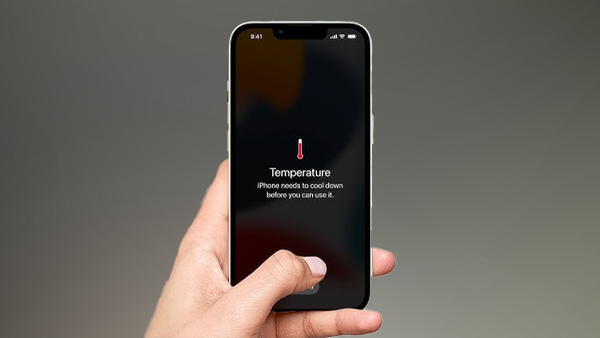
You’re in the middle of an intense gaming session, or maybe you’re just trying to get directions on a hot summer day, and suddenly—your phone feels like it’s about to melt. The screen dims, the frame stings your hand, and you see that dreaded temperature warning. Phone Overheating Problem
I’ve been there. We’ve all been there.
But here’s the thing: that burning sensation isn’t just uncomfortable—it’s your phone crying for help. Left unchecked, the phone overheating problem can permanently damage your battery, slow your device to a crawl, and even create safety risks. The good news? You don’t need to be a tech wizard to fix it. You just need to understand what’s happening under the hood.
Let’s dive into the real reasons your phone turns into a hand warmer, the hidden dangers you might not know about, and the exact steps you can take to cool things down for good.
Why Your Phone Gets Hotter Than Your Morning Coffee
Before we talk solutions, we need to understand the problem. Your phone heats up for two main reasons: environmental heat and operational heat. Think of it like your own body—you get hot when you exercise (operational) or when you’re stuck in a sauna (environmental).
The Environmental Culprits
Believe it or not, the most common cause of sudden temperature spikes is leaving your phone in direct sunlight. That dark glass screen acts like a magnifying glass, catching light and retaining heat. A few minutes on a car dashboard or a beach towel can turn your smartphone into a portable oven.
Apple officially warns that using an iPhone in temperatures above 35°C (95°F) can permanently shorten battery life. And once ambient temperatures exceed that range, your device will start throttling performance or shut down entirely to protect its internal components.
The Operational Culprits causing phone overheating problem
Even in a cool room, your phone can overheat if you’re pushing it too hard. Common triggers include:
- Fast charging (especially wireless charging, which is less efficient and generates more waste heat)
- High-brightness gaming for hours (think Genshin Impact or Call of Duty Mobile)
- GPS navigation while charging in a car mount (direct sun + windshield reflection + charging = disaster)
- Background app overload (crypto mining apps, social media auto-play, or stuck updates)
Fresh perspective: Most people blame the battery, but the actual heat often comes from the processor (SoC) and the charging circuitry. The battery is just the victim—it swells and degrades because of heat, not as the source.
The Hidden Dangers You Don’t See Coming
We all know heat is bad. But here’s what most blog posts won’t tell you.
1. Heat accelerates battery aging exponentially
Lithium-ion batteries follow the “Arrhenius law” in chemistry. For every 10°C rise in temperature, the battery’s aging rate roughly doubles. So a phone running at 40°C instead of 30°C will lose twice as much capacity over the same period. That’s why your two-year-old phone suddenly can’t hold a charge.
2. The “thermal throttling” trap
Your phone doesn’t overheat randomly—it actively slows itself down to survive. That lag you feel? It’s intentional. But repeated throttling episodes can cause micro-cracks in solder joints over time, leading to the infamous “loop disease” on some motherboards.
3. Adhesive failure
The glue holding your screen and back glass in place can soften and degrade with repeated high heat. This is why some phones develop “screen lift” or lose water resistance after a few hot summers.
Real story from my own repair bench: I once had a customer whose phone would shut down every time she used Maps for more than 10 minutes. The fix? Not a new battery—just cleaning out lint from the charging port and removing a thick, heat-trapping “rhinestone case.” After that, it worked like new.
The 7-Step Fix: How to Solve the Phone Overheating Problem
Let’s move from theory to action. Here’s a step-by-step guide you won’t find in generic listicles.
Step 1: Remove the case (yes, even the “cool” one)
Most phone cases are thermal insulators. Silicone, leather, and even many “rugged” cases trap heat. Take the case off immediately when you notice warmth. If you regularly experience overheating, switch to a ventilated case or a bumper-style case that leaves the back exposed.
Step 2: Stop charging while using demanding apps
Charging generates heat. Running GPS, gaming, or streaming generates heat. Doing both at the same time is a recipe for disaster. If you need to navigate while driving, charge first then navigate, or use a vent-mounted car holder with the AC blowing on the phone.
Step 3: Enable “Low Power Mode” or equivalent
On iPhones, Low Power Mode reduces background activity and caps the processor. On Android, look for “Power saving” or “Battery saver.” This single toggle can drop your CPU temperature by 5-8°C under load.
Step 4: Check for rogue apps that causes phone overheating problem
Go to Settings > Battery (or your phone’s equivalent) and see which apps are draining power. An app using 30-40% of your battery in the background is almost certainly generating heat. Force-quit it, update it, or uninstall it.
Pro insight: Some popular apps like Facebook, Instagram, and even weather widgets have been known to cause CPU spikes due to poorly optimized background refreshes. Try a “lite” version or a web wrapper like Hermit for Android.
Step 5: Adjust your brightness and refresh rate
High brightness is a major heat source. Turn on auto-brightness and lower the screen refresh rate from 120Hz to 60Hz if your phone allows it. You won’t notice the difference in daily tasks, but your phone will thank you.
Step 6: Cool it down the right way
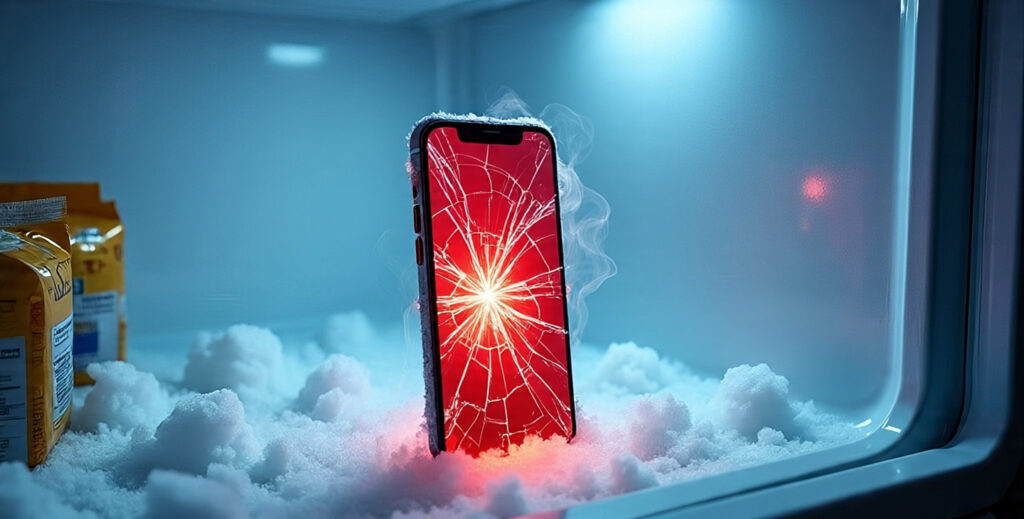
If your phone is already hot, do not put it in the fridge or freezer. Rapid temperature changes cause condensation inside the device, which can short-circuit the logic board. Instead:
- Turn it off completely.
- Place it on a cool, solid surface (stone countertop or metal table works great).
- Point a fan at it (not an AC vent directly).
- Wait 15-20 minutes.
Step 7: Update your software
This sounds like generic advice, but it’s genuinely critical. Android 12 introduced “thermal service” improvements that let the OS better manage heat. iOS updates frequently patch background processes that used to cause overheating. Staying current is one of the easiest fixes.
When to Worry (And When to Seek Help)
Most overheating is temporary and harmless. But you should seek professional help if:
- Your phone overheats while idle (screen off, no apps running)
- You see bulging on the screen or back cover (battery swelling – emergency!)
- The phone shuts down within minutes of normal use
- You smell anything like chemicals or burning
External resource: iFixit’s guide to swollen batteries is an excellent, safety-focused read.
A Quick Comparison: Common Overheating Scenarios
| Scenario | Typical Temp Rise | Best Fix |
|---|---|---|
| Gaming while charging | +12–15°C | Stop charging, remove case, lower graphics |
| GPS + sun + car mount | +15–20°C | Use AC vent mount, close other apps |
| Fast wireless charging | +8–10°C | Switch to wired charging or a cooling fan pad |
| Background app stuck | +5–8°C | Force restart, check battery stats |
| Summer outdoor use | +10°C (on top of ambient) | Keep in shade, airplane mode |
Final Thoughts: A Cool Phone is a Happy Phone
The phone overheating problem isn’t something you have to live with. In most cases, it’s caused by a combination of environmental factors and user habits—not a broken device. By removing your case, avoiding charging while gaming, and keeping an eye on rogue apps, you can extend your phone’s lifespan by years.
I’ve personally used these steps to revive an old iPhone that used to shut down every summer afternoon. Now it runs cool enough to keep in my pocket on a 95°F day. Your phone can do the same.
Your Turn: Share Your Overheating Story
Have you ever had a phone overheat at the worst possible moment—maybe during an important call or while trying to capture a once-in-a-lifetime photo? I’d love to hear how you handled it.
Drop a comment below with your experience, or share this post with a friend who’s always complaining about their “hot phone.” And if you found this helpful, subscribe to my weekly tech repair newsletter for more real-world fixes you won’t find in a manual.
Stay cool. 📱❄️
Read More – Geekafterdark